


Introduction: Why Tools Like NDepend Matter
At some point, every non-trivial .NET codebase drifts away from how it was originally designed. Layers blur as new features get added quickly, shortcuts pile up across sprints, and it gets harder to see where the real risks are hiding. NDepend is a static analysis and architecture tool for .NET that analyzes your compiled code, computes detailed metrics, and highlights issues like complexity, tight coupling, and broken architectural boundaries. Used well, it gives teams a shared, data-backed way to talk about technical debt and design decisions, rather than relying only on gut feel or whoever is loudest in the room.
Who NDepend Is For: Roles That Benefit
NDepend works best for teams building real systems, not prototypes. Different roles pull value from different parts of it.
Architects and technical leads
NDepend gives them dependency graphs and rules to spot unwanted couplings and layer violations early. They can enforce design boundaries without relying on tribal knowledge. For example, if your API layer starts calling database code directly, it flags that right away.
Senior developers
They get metrics on complexity and hotspots right in their IDE. This makes it easier to push back on risky changes and use data in code reviews. Instead of arguing about “feels clean,” you point to actual numbers on coupling or method length.
Engineering managers and product owners
High-level views of technical debt and trends help them weigh refactoring investments against delivery risk during planning. A dashboard showing debt doubling in six months is easier to act on than vague complaints.
High-Level Feature Overview
NDepend packs a lot into one tool. It covers most .NET code quality concerns through four main areas. Each one builds on the others to give a complete picture.
Architecture and dependency analysis
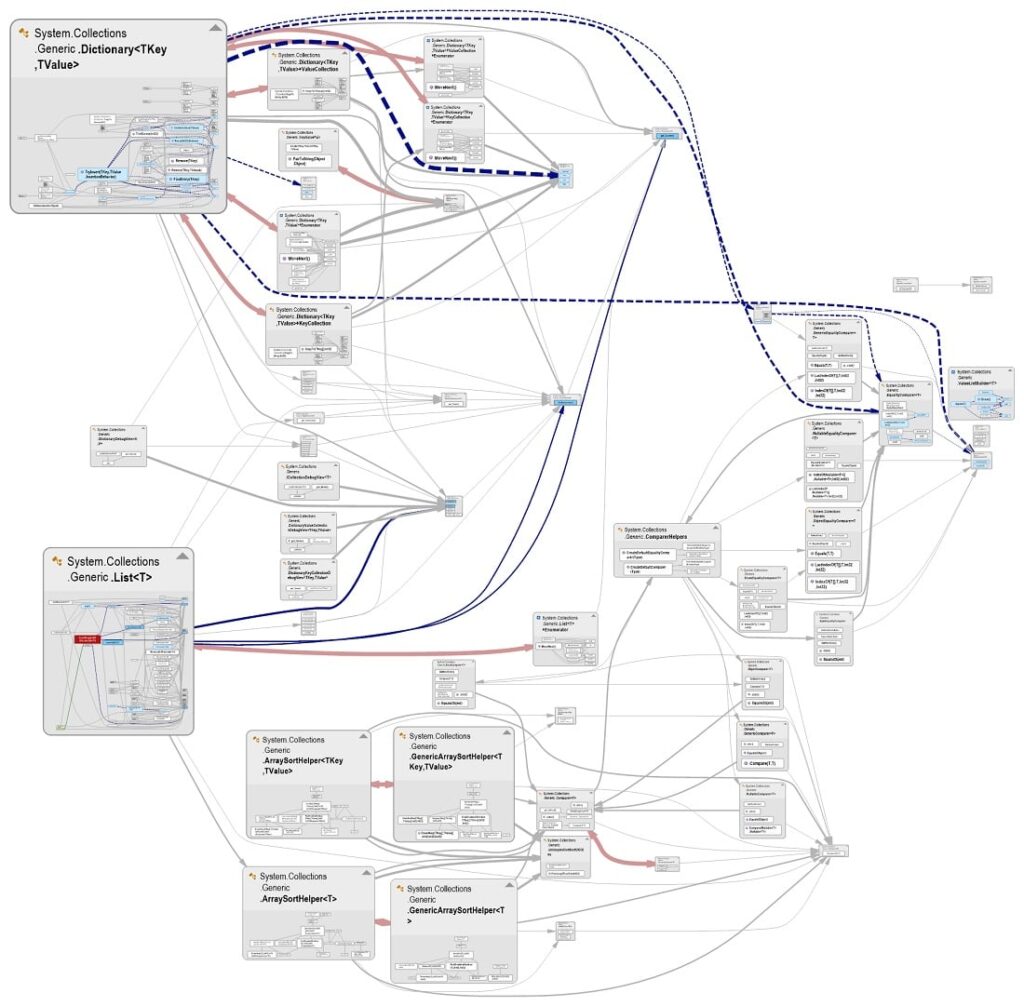
Dependency graphs and matrices show couplings between projects, namespaces, and types. You can easily spot cycles or layer violations that static diagrams often miss. These views help during architecture reviews or when planning changes to large systems. For instance, if a shared library ends up depending on UI code, the graph makes that obvious, and you can draw boundaries to prevent it.

Code health, metrics, and technical debt
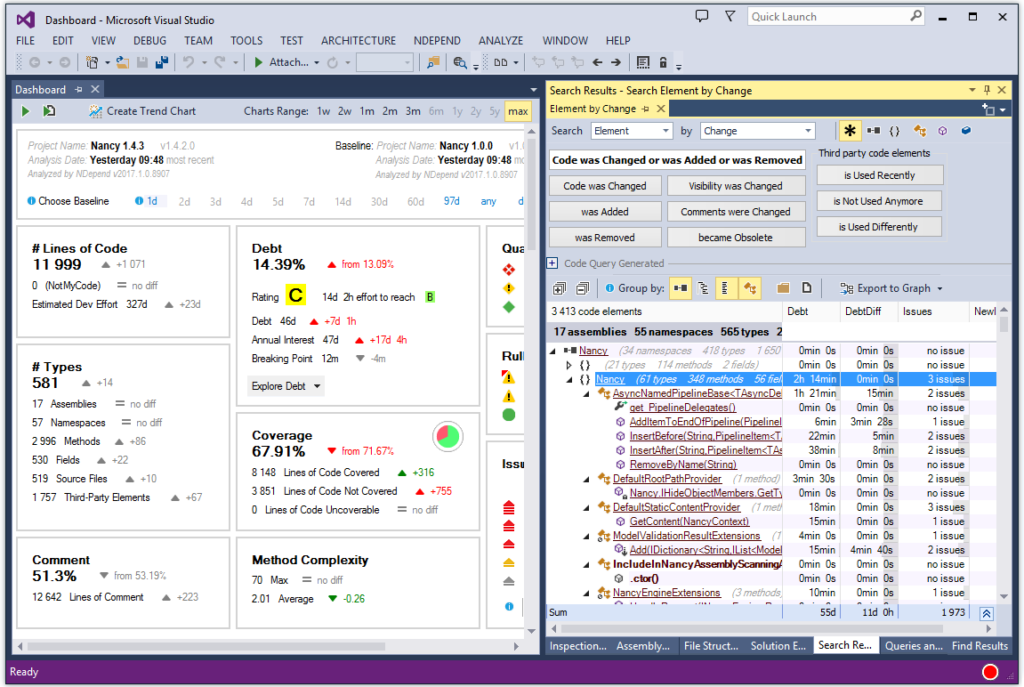
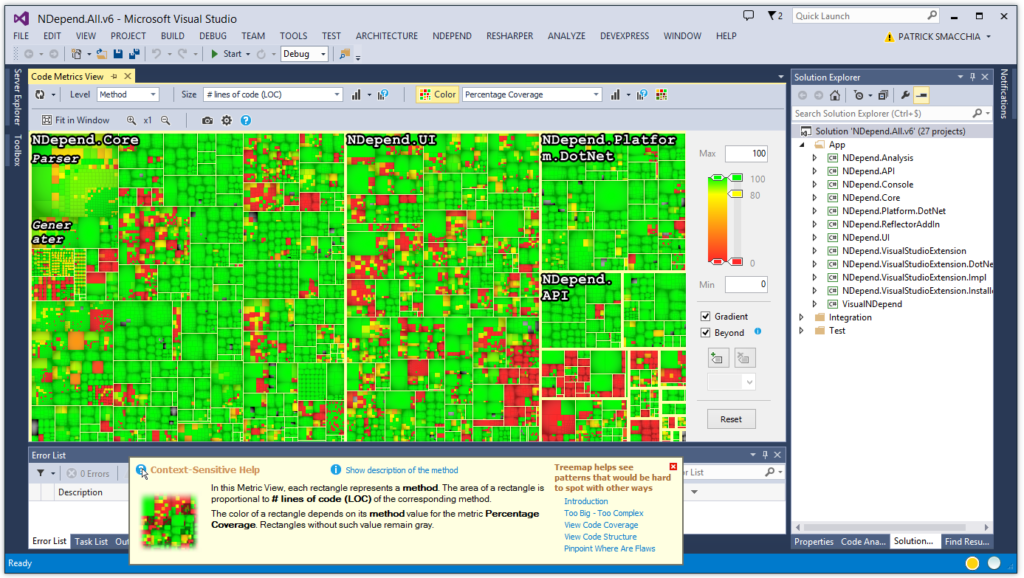
It calculates metrics like complexity, coupling, coverage, and even estimates technical debt in days or dollars. The tool highlights hotspots worth tackling first. Over time, you can track if these numbers improve or get worse after new features land. Teams often start by sorting methods by complexity score, then work down the list to simplify the worst offenders first.
Rules, quality gates, and customizable queries
Hundreds of ready-to-use rules catch design flaws, bugs, and performance risks. Quality gates can fail builds if thresholds slip. CQLinq lets you tweak rules or add custom ones to match your team’s standards. Say your team follows clean architecture; you write a rule that checks for domain code calling infrastructure, and it runs every time.

Dashboards, reports, and trends
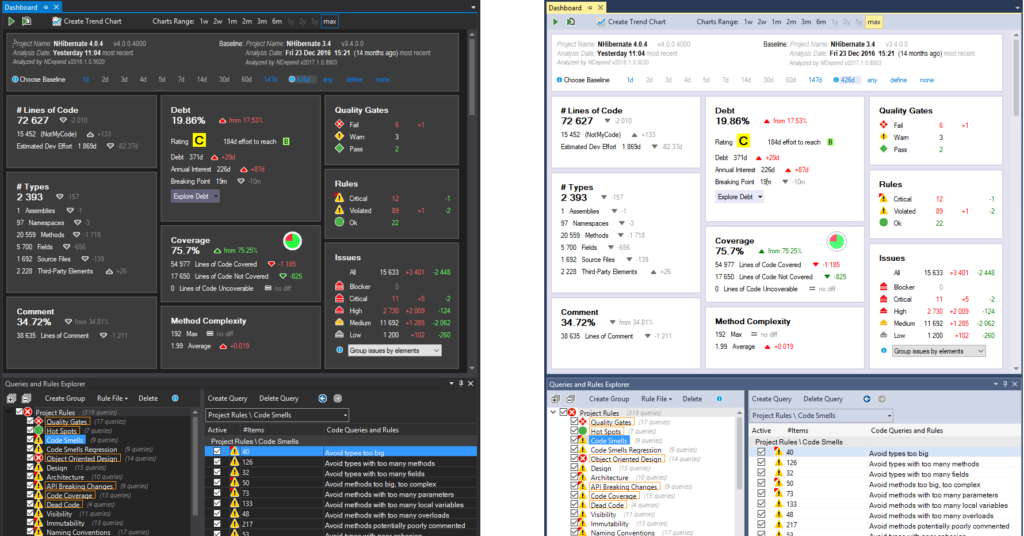
Interactive dashboards give an instant codebase health snapshot. Trend charts and exportable reports let you track improvements or regressions over time. Teams often use these for release planning or quarterly check-ins. One release might show coverage dropping while complexity rises, prompting a dedicated cleanup sprint.
Supported Platforms and Project Types
NDepend works across the .NET ecosystem you’re likely already using. It analyzes both modern .NET (.NET Core, .NET 5+) and legacy .NET Framework apps across common project types like web APIs and services.
Ways To Use NDepend In Practice
NDepend fits naturally into different stages of .NET development, from daily coding to bigger-picture planning. It scales from solo work to team-wide use.
Day-to-day development and code review
Run it in your IDE or CI pipeline to catch complexity spikes and rule violations on every commit or PR. This keeps feedback tight and consistent without slowing down the team. Developers see issues as they code, while PR gates block real problems from merging.
Architecture and modernization initiatives
Use dependency views and metrics to map out legacy tangles or monolith decomposition. Prioritize what to untangle first before it causes problems during a rewrite. Architects often export graphs to show stakeholders exactly why a module needs attention.
Governance and continuous improvement
Set up periodic dashboard reviews to track trends. Update rules as your architecture evolves. Use the results in sprint planning or quarterly discussions about technical debt. Over months, you see clear progress or spot areas slipping backward.
When Tools Like NDepend Are Not Enough On Their Own
Tools like NDepend surface the data such as dependency messes, debt estimates, and rule violations. But they don’t tell you what to do next. Experience helps decide when to ignore a metric, when to refactor aggressively, or how to balance short-term delivery with long-term structure.
Pairing NDepend with tools like SonarQube gives even broader coverage. Real wins happen when someone interprets the outputs in the context of your domain, team velocity, and business goals. This turns raw numbers into a practical plan for keeping .NET systems maintainable.